
How to download and install PUBG: NEW STATE (Technical Test) on Android Phone?
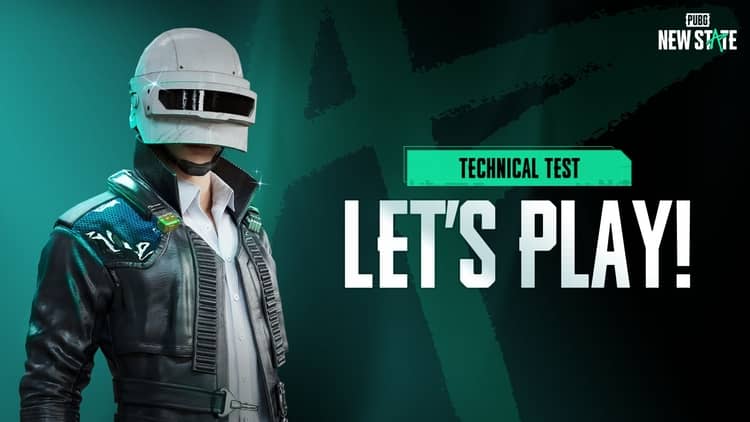
Technical Test of PUBG: NEW STATE game has rolled out today globally and it will available for two days (29 and 30 Oct.) testing. Those who have registered for the alpha test can participate in the technical test of PUBG: NEW STATE. But even if you did not participate in its alpha test, you can still play this game, today I am going to tell you a trick, with the help of which you can install this game on your mobile phone.
Table of Contents
How to download PUBG New State (Technical Test) on the smartphone before launch?
Here you will get to know how you can download PUBG: New State game on any Android phone easily. You just need to follow the below step-by-step guide.
Step 1
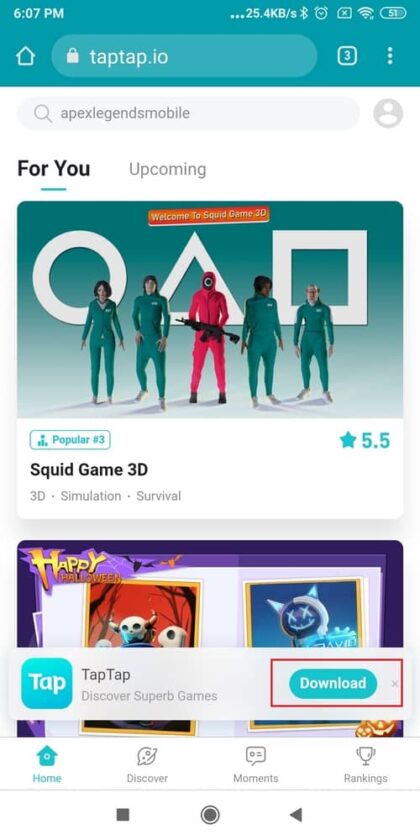
First of all, open the chrome browser and download TapTap App on your phone. TapTap is just like an App Store where you can find lots of free gaming apps and more.
Step 2
After installing TapTap App on your phone, just open the TapTap app and search the “PUBG New State” keyword in the search bar and then you will get to see the PUBG new state game with its download button below, just click on it to download and install the application on your phone.
PUBG: NEW STATE will launch Globally on 11 November, Know more about this game
Step 3
Once you have done the installation of the game then open the PUBG: New State App and set up everything of it such as the Character Name, the character looks, and some necessary files will download automatically, and then you can play this game on your smartphone that’s it.
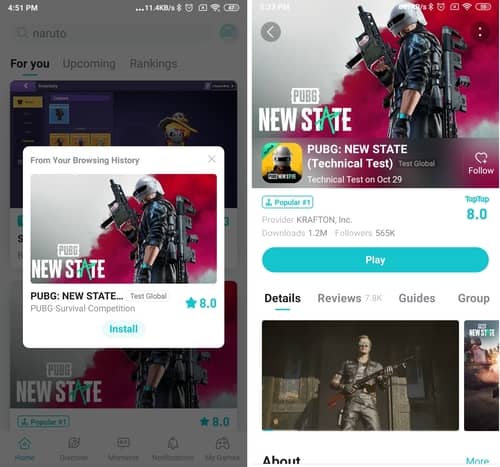
Note: First you have to download TapTap App on your phone and then open TapTap App to install PUBG: NEW STATE on your Android phone.
You May Also Like



Hi, I think your blog might be having browser
compatibility issues. When I look at your website in Ie, it looks fine but when opening
in Internet Explorer, it has some overlapping. I just
wanted to give you a quick heads up! Other then that, great blog!